 Wingline
Never stare at a blank chat again.
Wingline is an AI texting assistant in your iPhone keyboard. It writes replies for any chat, polishes what you typed in one tap, and on dating apps writes your first message from their profile, all in your voice. You read it, tweak it, and send it yourself.
Coming to iPhone first. One email when it's ready, nothing else.

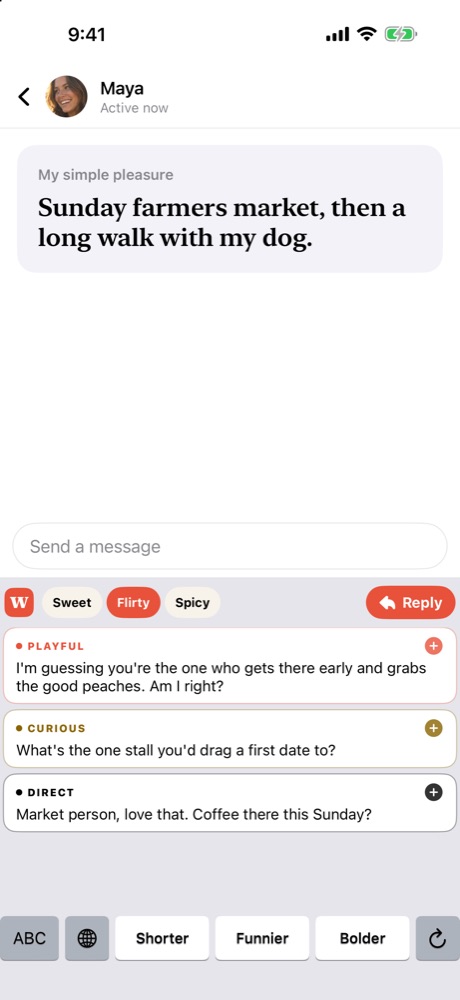
My simple pleasure: Sunday farmers market, then a long walk with my dog.
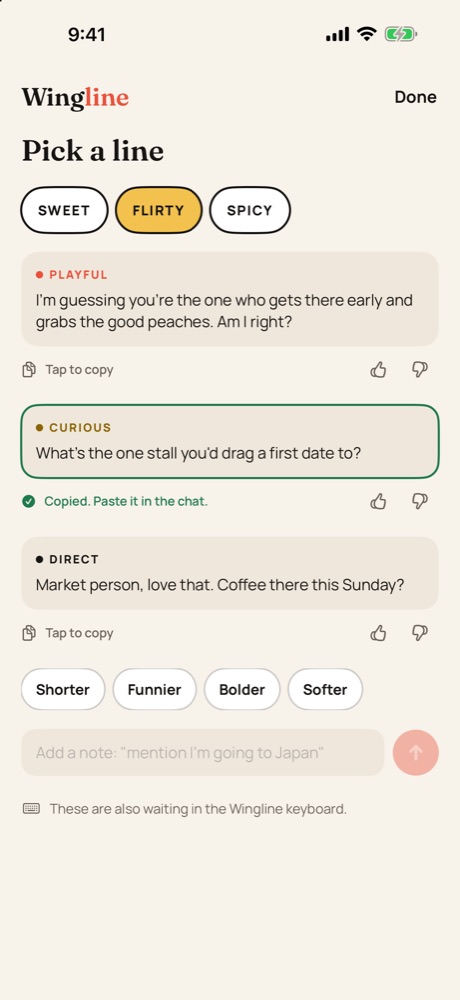
Try it: pick a heat, then tap a suggestion. Example lines for a fictional profile.
From match to message in three taps.
Copy their profile
Screenshot a profile or chat and tap Copy, or copy their last message. Then open the Wingline keyboard right there in the chat. No switching to a chatbot.
Get lines that fit you both
Pick sweet, flirty or spicy. Wingline writes three takes using what's on their profile and what you told it about yourself.
Tap, tweak, send
The Wingline keyboard types it into the chat. Change anything you like, then send it yourself.
The real app, not a mockup.
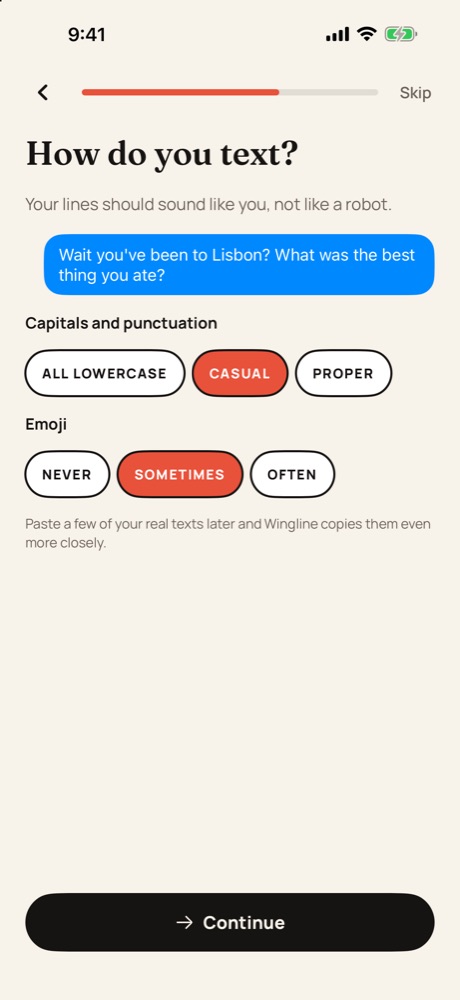
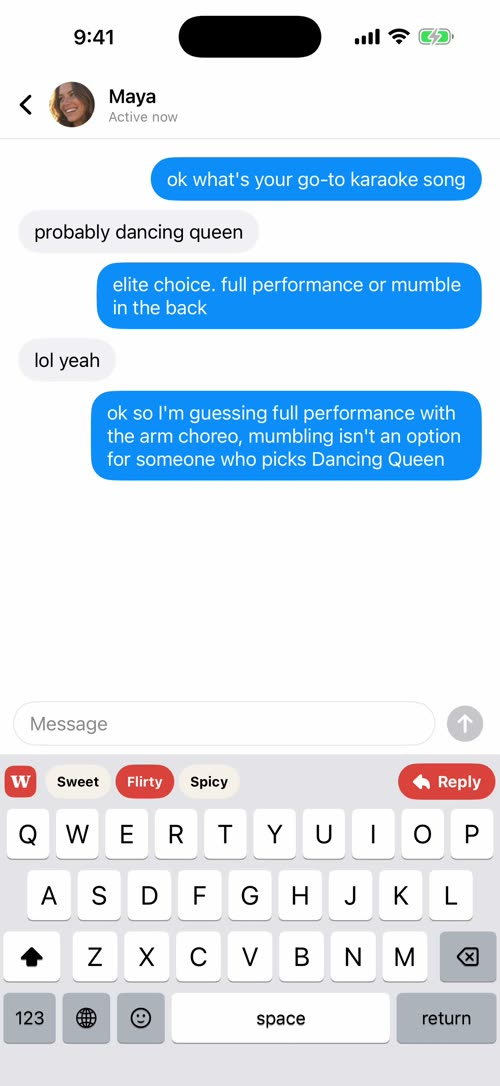
Lines in your keyboard, a quick pick from any screenshot, and replies that sound like you.
What Wingline won't do.
It helps you say what you mean. Everything else stays yours.
- Keep their screenshotsScreenshots are used to write your suggestions, then discarded. They aren't stored on our servers.
- Record what you typeThe keyboard only sends text when you tap Reply or a suggestion. It never logs keystrokes.
- Message anyone for youNo auto-send, no logging into your dating apps. You send every message.
- Write anything creepyNo negging, no pressure, nothing explicit. Spicy stays suggestive and only goes as far as their profile does.
Questions.
Which dating apps does it work with?
Any of them. Wingline is a keyboard, so it works wherever you type: Hinge, Tinder, Bumble, Feeld and the rest. It also adapts its tone to the app it sees.
Will my match know I used it?
Only if you tell them. Suggestions are built from their real profile and match how you text, and you can edit every line before sending.
Why does the keyboard need Full Access?
iOS requires it for any keyboard to reach the internet, which Wingline needs to write suggestions. It doesn't record what you type.
What does it cost?
You'll be able to start for free. A Pro plan will add more suggestions every day. Pricing will be announced at launch.
When can I get it?
Wingline is coming to iPhone first. Join the waitlist and we'll email you once, when it's ready.
Be first to stop overthinking your opener.
iPhone first, Android later.